


NEWESXQBCoreQbox
OOS Ride
A rideshare job where the passenger talks back. AI riders or your own players.
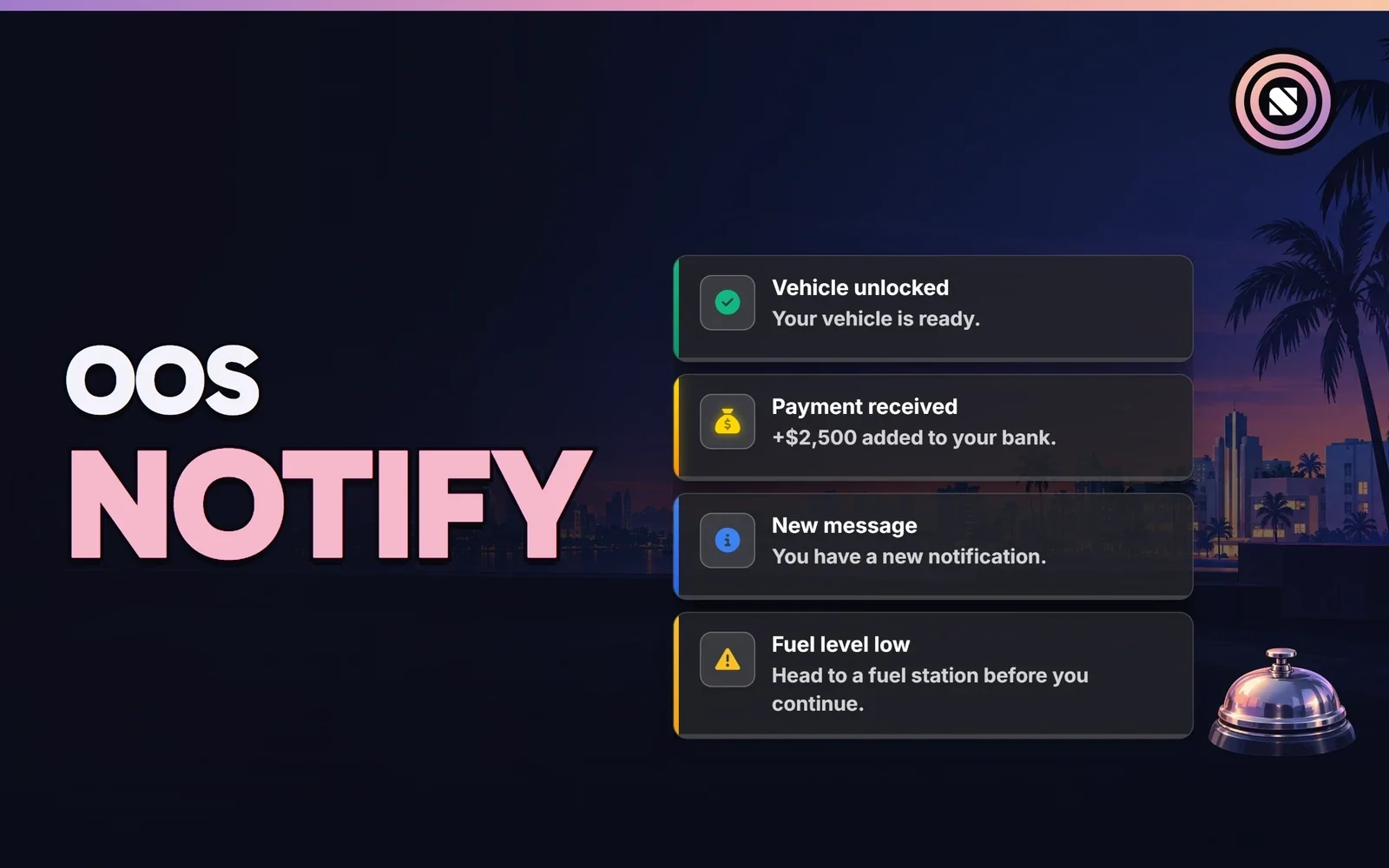
Notifications, announcements and txAdmin messages that look like they belong on your server.
Price includes taxesOne-time purchase
Buy now, pay later with





 +115
Secure checkout by Tebex
OOS Notify is a clean, modern in-game notification system for FiveM servers. It provides modern notification cards and server announcement banners, with built-in txAdmin integration, configurable colors, sound effects, and a configurable on-screen position.
Every notification slides onto the screen with a smooth animation and can be placed in any corner you prefer.
Five distinct notification types (success, error, info, warning, money) with unique colors, icons, and backgrounds.
Each type of notification and announcement plays a distinct, customizable sound effect to catch the player's attention.
Native txAdmin integration automatically shows beautiful banners for server restarts, shutdowns, and global announcements.
Check these against your server before you buy.
oos-notifyv1.0.1Released 10 Apr 2026Log in with FiveM at checkout. That’s the account the script is delivered to.
It’s in your CFX Portal under Granted Assets, usually within a minute of payment.
Put the folder in your resources and start it after your framework.
ensure oos-notify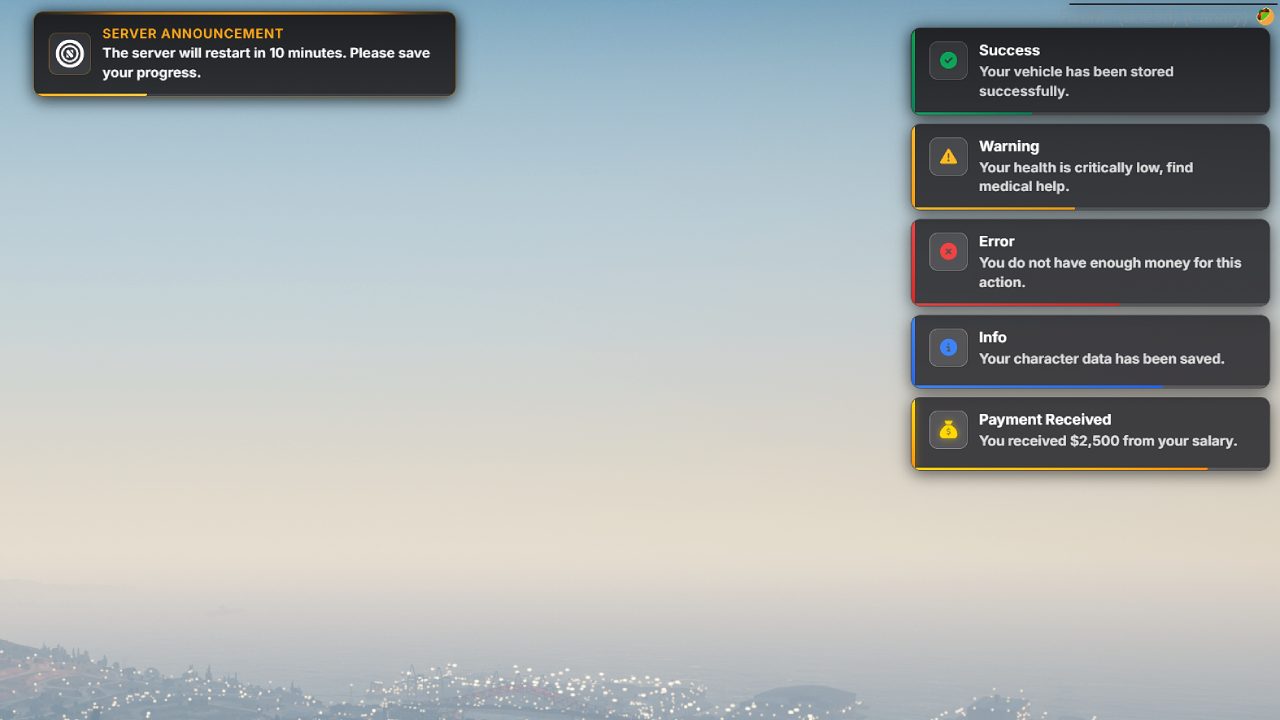 YouTube
ESX, QBCore and Qbox. It also runs standalone, without a framework.
Tebex delivers it to your CFX Portal, under Granted Assets, usually within a minute of payment. That’s why checkout asks you to log in with FiveM.
Triggers, events and payouts are validated server-side. That’s the default in every OOS script.
New versions show up in your CFX Portal: download it and replace the folder. Every update is announced in our Discord.
The core is protected by Cfx.re asset escrow, and some parts are open for customising. Everything else is set in the config file.
Yes, on every server linked to your CFX account. The licence is tied to that account, so it can’t be resold or shared.
Open a ticket in our Discord. Most tickets get a reply within a few hours, and an AI assistant there answers any time of day.
Not sure it fits your server? Open a ticket in our Discord. Most tickets get a reply within a few hours, and an AI assistant answers any time of day.
A rideshare job where the passenger talks back. AI riders or your own players.

Driverless cabs for OOS Ride. Riders book one in the app and nobody's at the wheel.

A clean chat with a staff panel in-game. Change commands and filters while players are online.
OOS Notify with OOS Ride, OOS Autocab and OOS Advanced Chat, in one purchase. Cheaper than buying them one by one.


